5 Ways to Share a Claude Artifact (Compared)

Key takeaways
- Claude's native Publish creates a public link — standard HTML artifacts are viewable by anyone, no account needed
- ShareDuo is the fastest path to a link with expiry, password protection, and view analytics
- tiiny.host and Netlify Drop work for permanent hosting but require sign-up or folder setup
- GitHub Pages is best for version-controlled projects you'll keep updating
You've built something useful in Claude and want to share it. There are five realistic options — each with different trade-offs. Here's an honest comparison.
The options
- Claude's native Publish
- ShareDuo
- tiiny.host
- Netlify Drop
- GitHub Pages
For deeper context on what artifacts are and what they can do, see the complete guide to Claude artifacts.
Quick comparison table
| Claude Publish | ShareDuo | tiiny.host | Netlify Drop | GitHub Pages | |
|---|---|---|---|---|---|
| No account to view | ✅ (standard artifacts) | ✅ | ✅ | ✅ | ✅ |
| No signup to upload | — | ✅ | ❌ | ✅ | ❌ |
| View analytics | ❌ | ✅ | ❌ | ❌ | ❌ |
| Password protection | ❌ | ✅ | Paid only | ❌ | ❌ |
| Expiry control | ❌ | ✅ | ❌ | ❌ | ❌ |
| Claude MCP integration | — | ✅ | ❌ | ❌ | ❌ |
| Permanent URL | ✅ | Up to 30d | ✅ | ✅ | ✅ |
| Setup time | ~0s | ~10s | ~60s | ~30s | 10+ min |
| Free tier | ✅ | ✅ | Limited | ✅ | ✅ |
1. Claude's native Publish
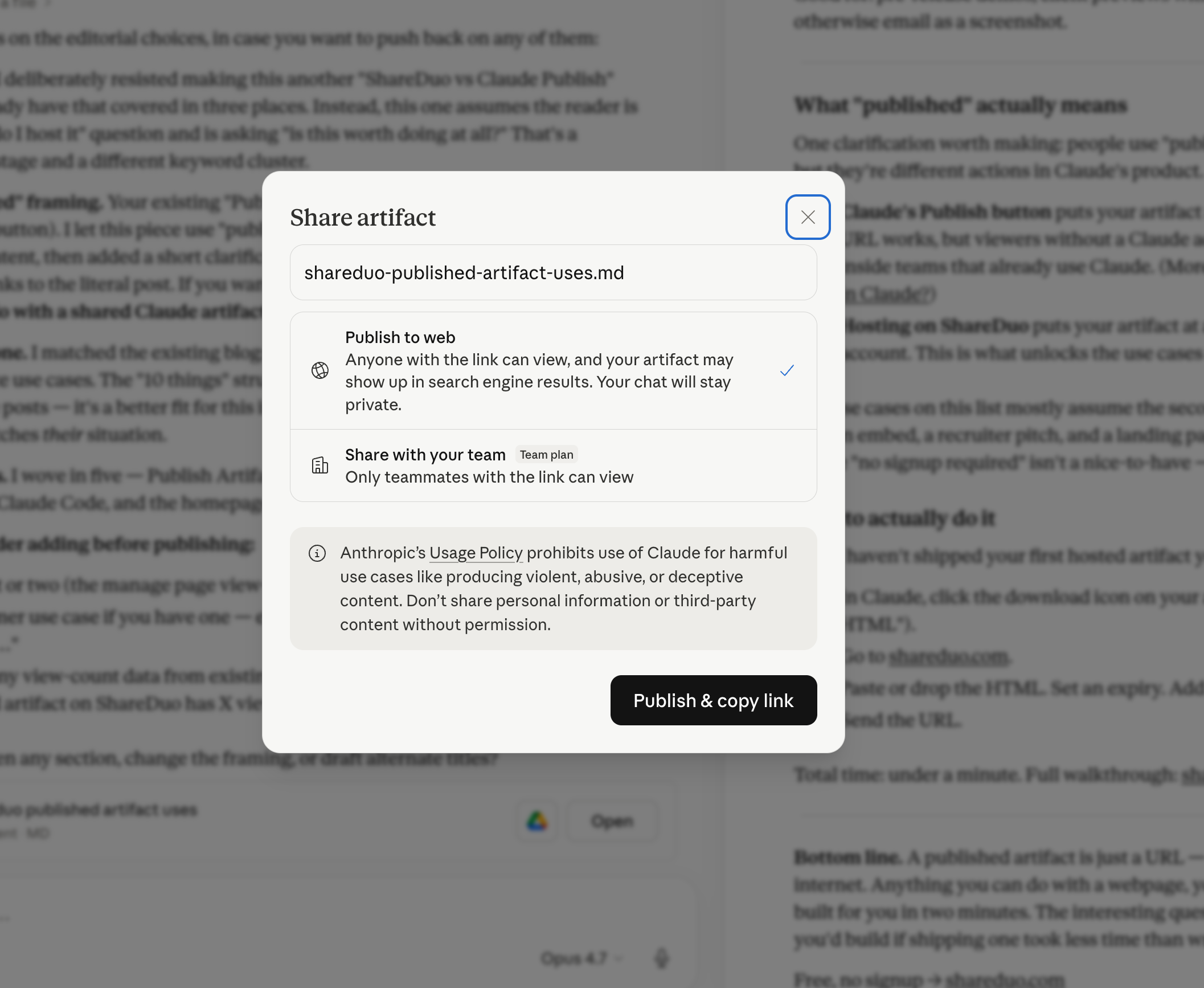
Best for: quick public sharing where you don't need expiry, password, or analytics.
The fastest option — one click inside Claude. Standard HTML artifacts are publicly viewable by anyone with the link — no account required. The gaps: no expiry control, no password, no view analytics, and published artifacts may be indexed by search engines. AI-powered artifacts (ones that call Claude's API at runtime) do require sign-in.
Verdict: Great for instant public sharing. Limited when you need access control or privacy.
2. ShareDuo
Best for: sharing Claude artifacts with anyone, quickly, with control over expiry and privacy.
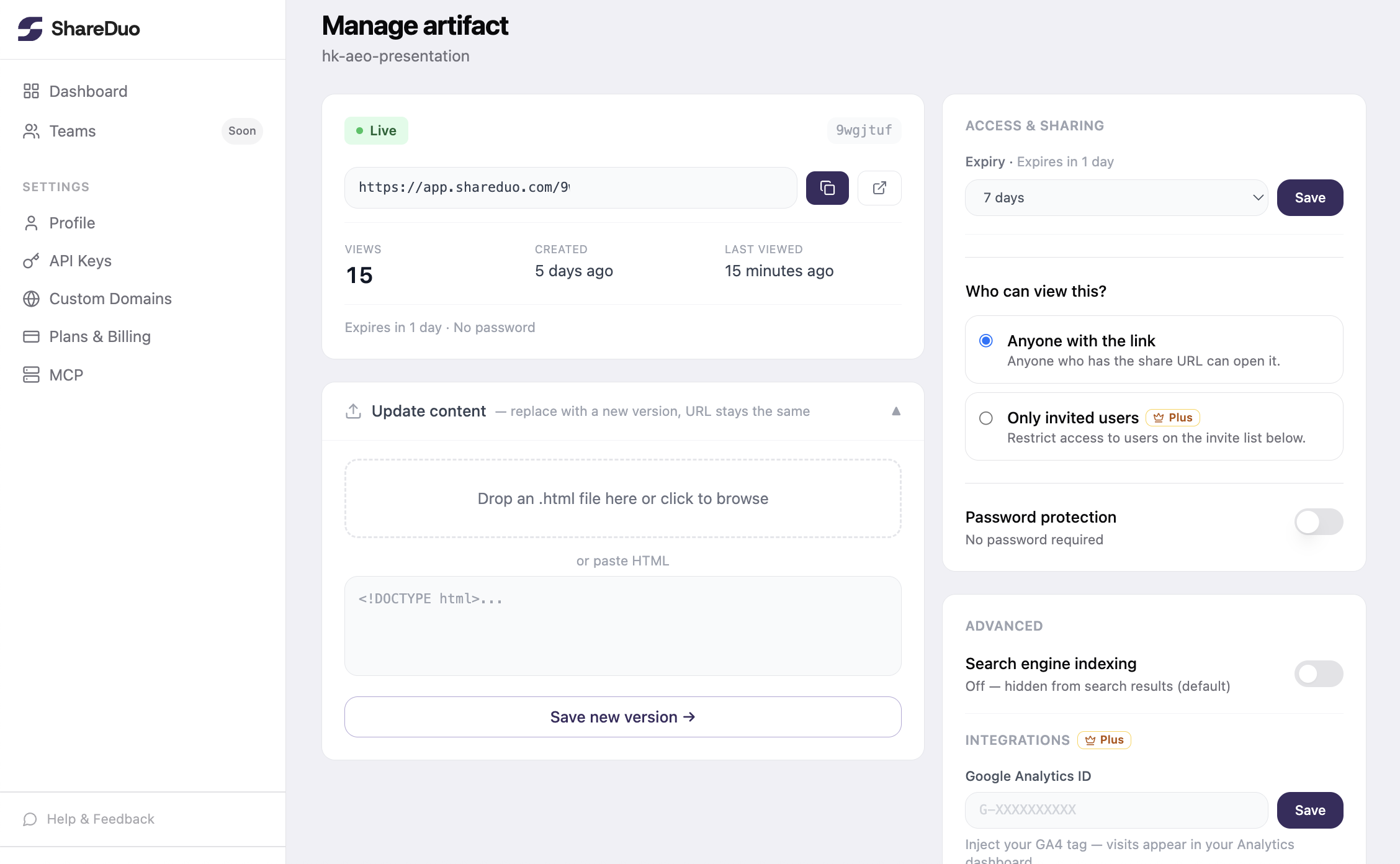
ShareDuo was built specifically for this use case. Paste or upload the HTML, get a public link in under 10 seconds. No signup required to upload or view. The link works in any browser.
What sets it apart from the other options: view analytics (see how many times your link was opened), password protection, expiry control (1 hour to 30 days), and an MCP integration that lets Claude push artifacts directly without leaving the conversation.
The one limitation: links aren't permanent — maximum 30 days. If you need a URL that lives forever, use Netlify or GitHub Pages instead. For the full walkthrough, see the step-by-step guide to sharing without a Claude account.
Verdict: Best for sharing Claude artifacts with external audiences. Fastest setup, most features for the use case.
3. tiiny.host
Best for: permanent public hosting with a simple interface.
tiiny.host is a clean HTML hosting service with a drag-and-drop interface. Links are permanent and the free tier is generous. It requires signing up for an account, and features like password protection and custom domains are on the paid plan.
It's a solid choice if you want permanent hosting and don't mind creating an account. It's not built specifically for Claude artifacts — no analytics, no expiry control, no MCP.
Verdict: Good for permanent hosting. More friction than ShareDuo for quick shares.
4. Netlify Drop
Best for: permanent hosting with zero signup, for people comfortable with a developer workflow.
Netlify Drop (app.netlify.com/drop) lets you drag a folder of files and get a public URL — no account needed. It's fast and the URL is permanent as long as you don't delete the deploy. The interface is minimal: no analytics, no passwords, no expiry.
One friction point: Netlify expects a folder, not a single file. For a single .html artifact you need to put it in a folder first, which adds a step.
Verdict: Good backup option if you want a permanent URL without an account. Slightly more friction than ShareDuo for single files.
5. GitHub Pages
Best for: developers who want permanent hosting with version control.
GitHub Pages turns any repository into a static website. It's free, permanent, and you get a clean URL (username.github.io/repo-name). The setup takes 10–15 minutes the first time: create a repo, commit the HTML file, enable Pages in settings.
This is overkill for a quick share, but ideal if you're iterating on an artifact and want version history, or if you want a permanent home for something you'll keep updating.
Verdict: Best for permanent, developer-maintained projects. Too much setup for one-off shares.
Which should you use?
- Sharing with someone who doesn't use Claude → ShareDuo
- Sharing within your Claude team → Claude's native Publish
- Need a permanent URL → tiiny.host or Netlify Drop
- Developer workflow, want version control → GitHub Pages
- Want to share from inside Claude without copy-pasting → ShareDuo MCP
For most people sharing Claude artifacts with the outside world, ShareDuo is the fastest path from artifact to shareable link.
If your recipients keep hitting login walls or seeing a blank screen, see share Claude artifacts so they actually work for the diagnostic flow.
Ready to share your Claude artifact?
Free, no signup. Anyone can view the link — no Claude account needed.
Get my shareable link →