What Does 'Publish Artifact' Mean in Claude?

Key takeaways
- 'Publish Artifact' creates a public URL — standard HTML artifacts load for anyone, no account needed
- The real limitations: no expiry control, no password, no view analytics, and artifacts may be indexed by search engines
- AI-powered artifacts (ones calling Claude's API at runtime) do require sign-in to view
- For expiry, passwords, and analytics, export the HTML and host it on ShareDuo
Short answer: "Publish Artifact" creates a public URL — standard HTML artifacts load for anyone with the link, no Claude account required. There is no expiry, no password, and no view analytics. For those controls, export the HTML and host it on ShareDuo.
When you create an HTML artifact in Claude, you'll see a Publish button (sometimes shown as a share icon) in the artifact panel. Here's exactly what it does — and what it doesn't do. For broader context, see the complete guide to Claude artifacts.
What does "Publish Artifact" actually do?
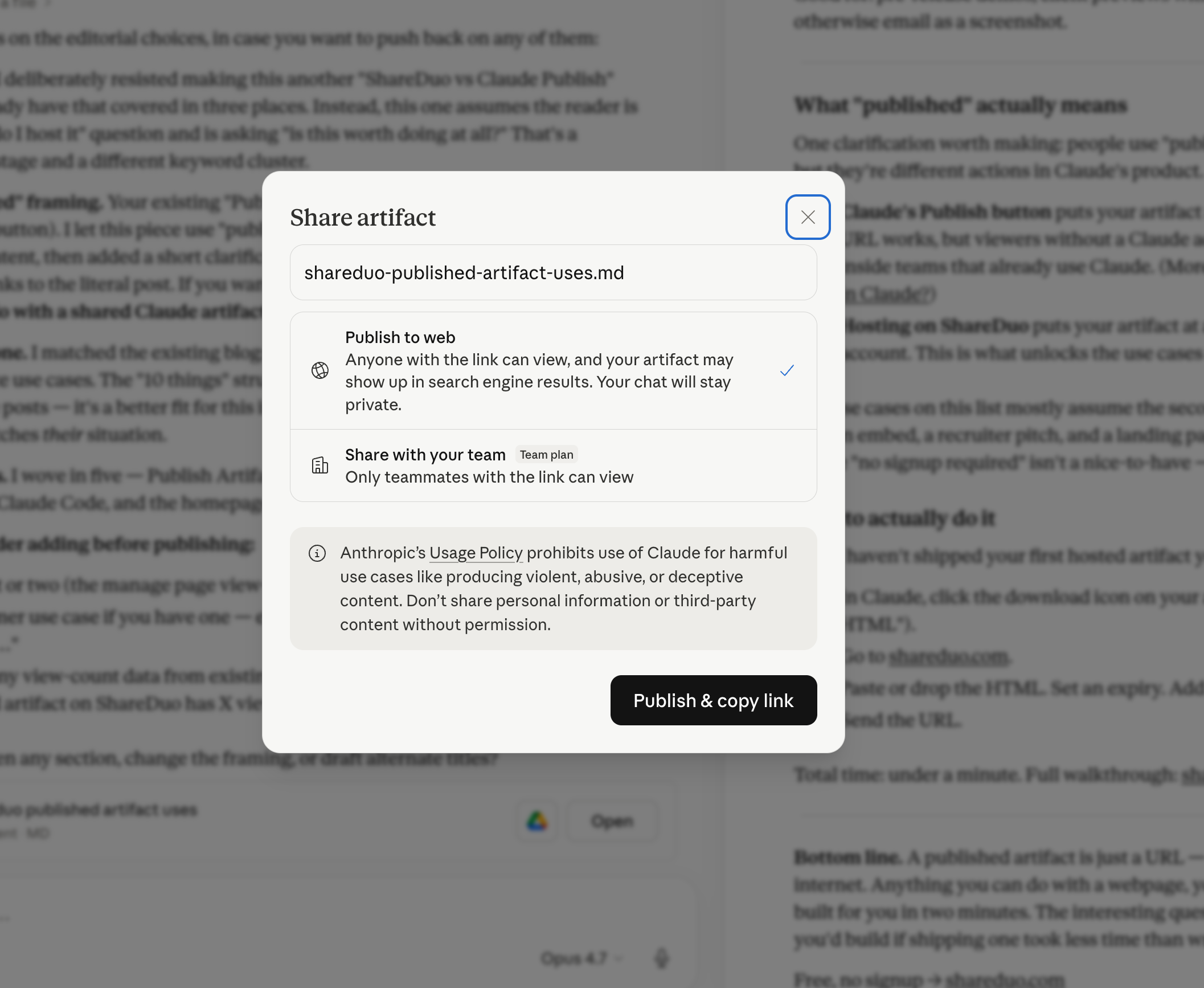
Clicking Publish generates a URL that points to your artifact hosted on claude.ai. The URL is real and permanent (until you unpublish). You can copy it and send it to anyone.
What publishing actually gives you — and what it doesn't
When someone clicks a published Claude artifact URL, they land on claude.ai. For standard HTML artifacts — dashboards, games, calculators, visualizations — the artifact loads directly. No login required.
AI-powered artifacts are the exception: if the artifact calls Claude's API at runtime to generate responses, it needs an active Claude session. Those do require sign-in.
The limitations that matter for most users aren't about login — they're about control:
- No expiry — links never expire and can't be set to expire
- No password protection — anyone with the link can view the artifact
- No view analytics — you can't see how many times the link was opened
- Published artifacts may be indexed by search engines
For diagnostic steps when a recipient does hit an issue opening the link, see share a Claude artifact so it actually works.
What's the difference between private and published in Claude?
By default, your artifacts are private — only you can see them. When you publish, you're making the artifact accessible via a URL. For standard HTML artifacts, that means publicly accessible — anyone with the link can open it, and it may be indexed by search engines.
How to add expiry, passwords, and analytics
If you want control over who can view your artifact — expiry windows, password protection, or view analytics — you need to host the HTML outside of claude.ai.
ShareDuo is designed for exactly this use case. You upload the artifact's HTML (download it from Claude or ask Claude to output the code), and ShareDuo gives you a public shareable link with full access control — expiry, password, analytics, and noindex by default.
Why does Claude's Publish button confuse so many people?
The user experience gap is what makes this confusing. As the publisher, you're already authenticated to Claude, so when you click the published link from your own browser, the artifact loads immediately. It looks like it works. There's no warning about the lack of expiry, password options, or search engine indexing anywhere in the publish flow.
The surprise usually comes later: a client forwarded the link to someone you didn't intend to share it with. The artifact appeared in a Google search result. Someone asked for view analytics you can't provide. These aren't login problems — they're access control problems that Claude's Publish doesn't solve.
The mental fix: treat Claude's Publish as a quick public share with no strings attached. If that's all you need, it's the fastest path. If you need expiry control, password protection, analytics, or search indexing control, export the HTML and host it on ShareDuo instead.
When should you use Publish vs hosting it yourself?
- Claude Publish: quick public sharing where you don't need expiry, password, analytics, or search engine control; keeping artifact linked to the conversation
- ShareDuo: sharing with clients or anyone where you want access control; when you need expiry, password protection, view analytics, or noindex; embedding in emails, Notion, Slack
Ready to share your Claude artifact?
Free, no signup. Anyone can view the link — no Claude account needed.
Get my shareable link →