How to Get a Shareable Link for Any Claude Artifact

Key takeaways
- Claude's Publish creates a public link — standard artifacts are viewable by anyone, no account needed
- For expiry control, password protection, and view analytics, upload the artifact HTML to ShareDuo
- ShareDuo links are live in under 10 seconds — no signup, no configuration
- Change the expiry and password anytime from the manage page
Getting a shareable link for a Claude artifact sounds simple — and Claude does have a Publish button. Claude's Publish creates a genuinely public link: standard HTML artifacts load for anyone, no account required. But if you want expiry control, password protection, or view analytics on top of that, you need one more step. For a full comparison of all sharing methods, see 5 ways to share a Claude artifact. For background on what Claude's Publish button actually does, see the dedicated explainer.
What does Claude's built-in sharing actually do?
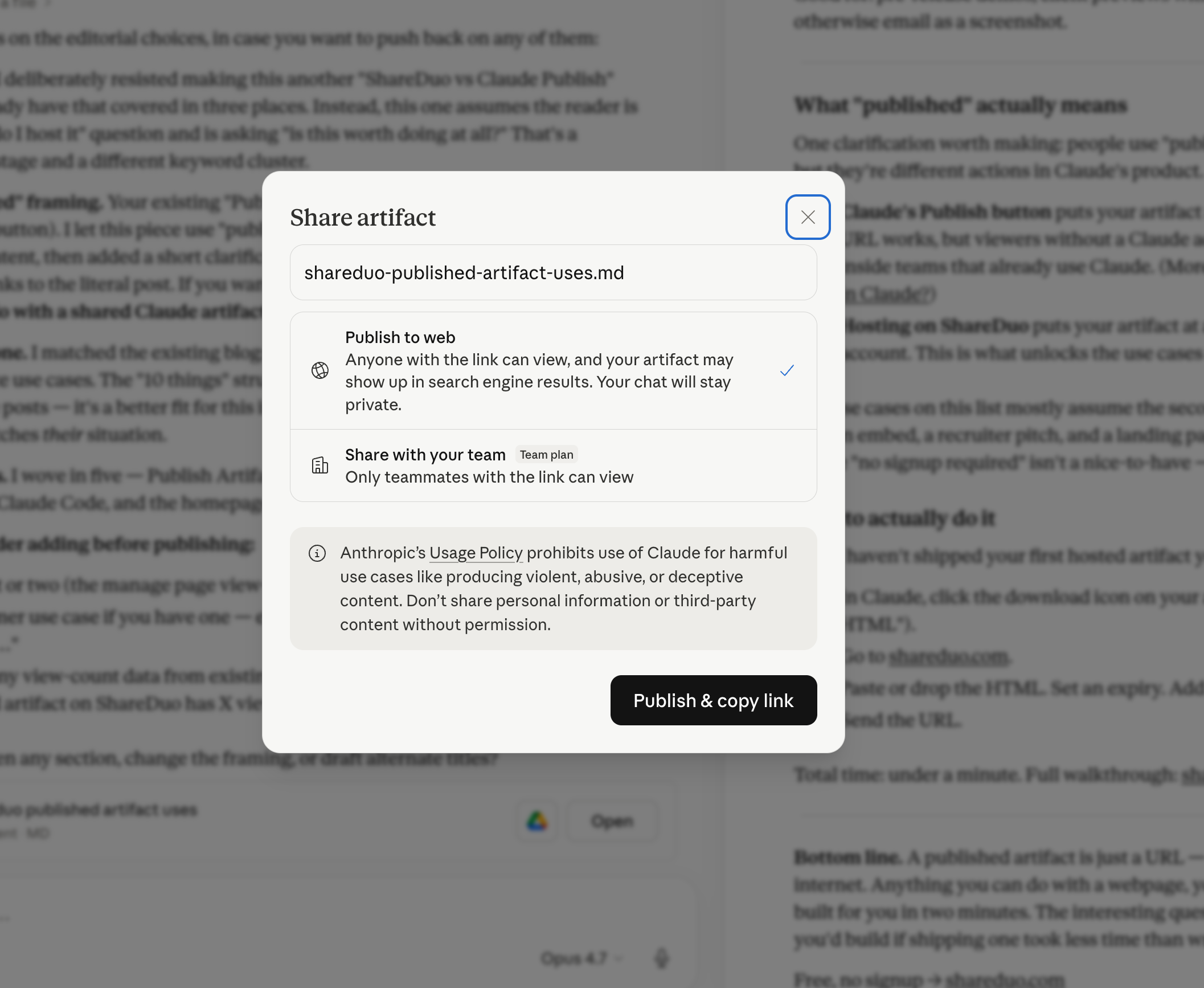
Claude's Publish feature generates a public link to your artifact hosted on claude.ai. Standard HTML artifacts load for anyone — no login required. The limitations: no expiry control, no password, no view analytics, and published artifacts may be indexed by search engines. AI-powered artifacts (ones calling Claude's API at runtime) do require sign-in.
For sharing where you need expiry, access control, or analytics — for clients, external stakeholders, or anything sensitive — you need a hosting solution that adds those controls.
How to get a shareable link with full access control
The simplest solution: copy the HTML out of Claude and upload it to ShareDuo. You'll get a public link that works in any browser, plus expiry, password, and view analytics. The full step-by-step walkthrough covers each option in detail.
Option 1 — Upload the file
- In the Claude artifact panel, click the download icon to save the
.htmlfile - Go to shareduo.com
- Drop the file onto the upload area
- Click "Upload & share" — your link is ready instantly
Option 2 — Paste the HTML
- Ask Claude: "Give me the full HTML for this artifact"
- Copy the HTML it returns
- Paste it into the text area on shareduo.com
- Upload and share
What does a ShareDuo shareable link look like?
Your link will look like https://preview.shareduo.com/abc123. It opens directly to your artifact — no loading screen, no login prompt, no Anthropic branding. Just your HTML running in the browser.
What extra options are available?
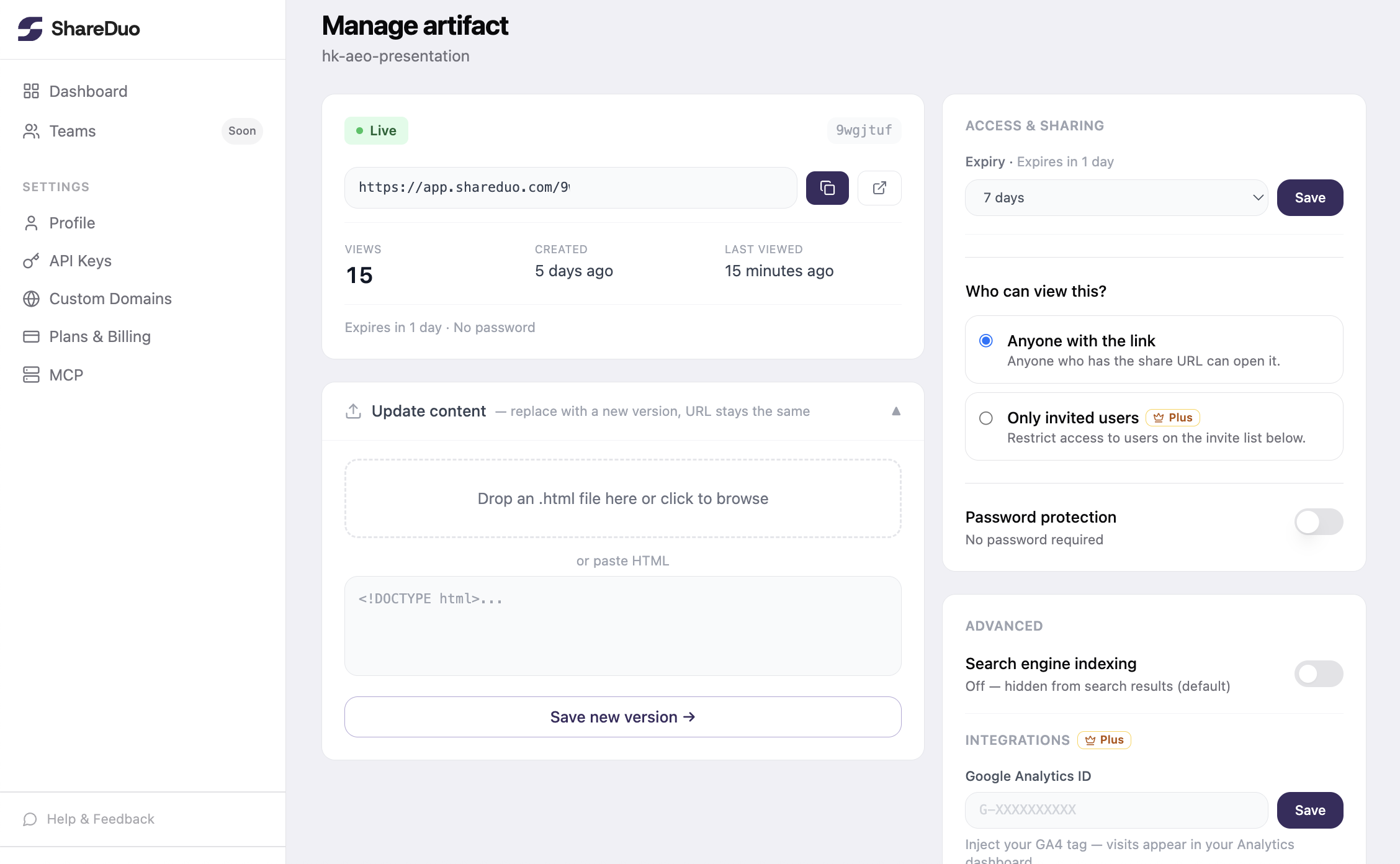
- Expiry: set the link to expire in 1 hour, 1 day, 7 days, or 30 days
- Password: lock the link so only people with the password can view it
- View count: your private manage page shows how many times the link was opened
Want to compare alternatives? See all five sharing methods compared.
Can you get a shareable link without leaving Claude?
ShareDuo also has an MCP integration that lets Claude generate the shareable link for you mid-conversation. Once set up, you just ask Claude to share the artifact and it returns a public URL automatically. Details in the GitHub repo.
Ready to share your Claude artifact?
Free, no signup. Anyone can view the link — no Claude account needed.
Get my shareable link →