Can I Share a Claude Artifact?

Key takeaways
- You can share a Claude artifact — Claude's Publish creates a public link anyone can open, no account needed
- The real gaps: no expiry control, no password, no analytics, and published artifacts are indexed by search engines
- Use ShareDuo for full access control — password, expiry, view counts, and noindex by default
- AI-powered artifacts (ones calling Claude's API at runtime) do require sign-in to view
Yes, you can share a Claude artifact — and Claude's built-in Publish creates a genuinely public link. But there are gaps in what it can do. For a full comparison of all sharing methods, see 5 ways to share a Claude artifact.
Method 1: Claude's Publish button (public, but limited controls)
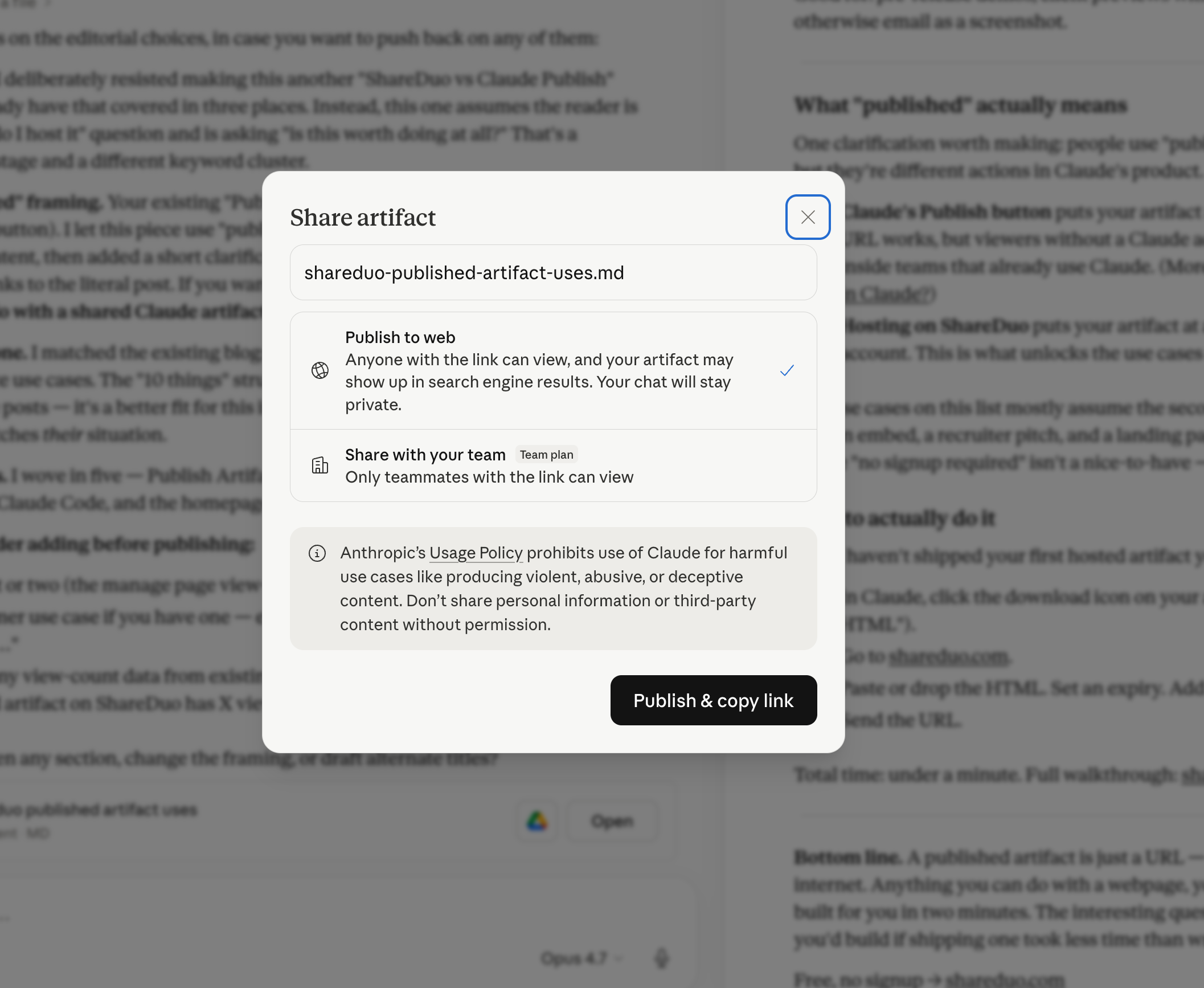
Claude has a Publish feature built in. Click the share or publish icon on any artifact and Claude generates a link. Standard HTML artifacts — dashboards, calculators, games — load for anyone with that link, no Claude account required. The gaps: there's no expiry, no password, no analytics, and published artifacts can be indexed by search engines. AI-powered artifacts (ones that call Claude's API at runtime) are the exception — those require sign-in.
This method is fine for quick public sharing where you don't need access control. For a deeper look at what 'publish' actually does in Claude, see the dedicated explainer.
Method 2: ShareDuo (works for everyone)
If you want a link anyone can open — no Claude account, no login, no subscription — you need to host the HTML somewhere other than claude.ai.
ShareDuo does exactly that. You paste or upload the HTML, and get a public preview URL that works in any browser.
- Download the artifact from Claude (or ask Claude to output the full HTML)
- Go to shareduo.com
- Drop the file or paste the HTML
- Get a link — share it with anyone
For the full setup, see the step-by-step guide.
What types of artifacts can be shared?
Any HTML artifact Claude produces can be shared this way. For a full taxonomy, see all the types of Claude artifacts. Examples include:
- Interactive games and apps
- Data visualizations and charts
- Dashboards
- Landing pages and mockups
- Calculators and tools
- Data tables and reports
Can I share privately?
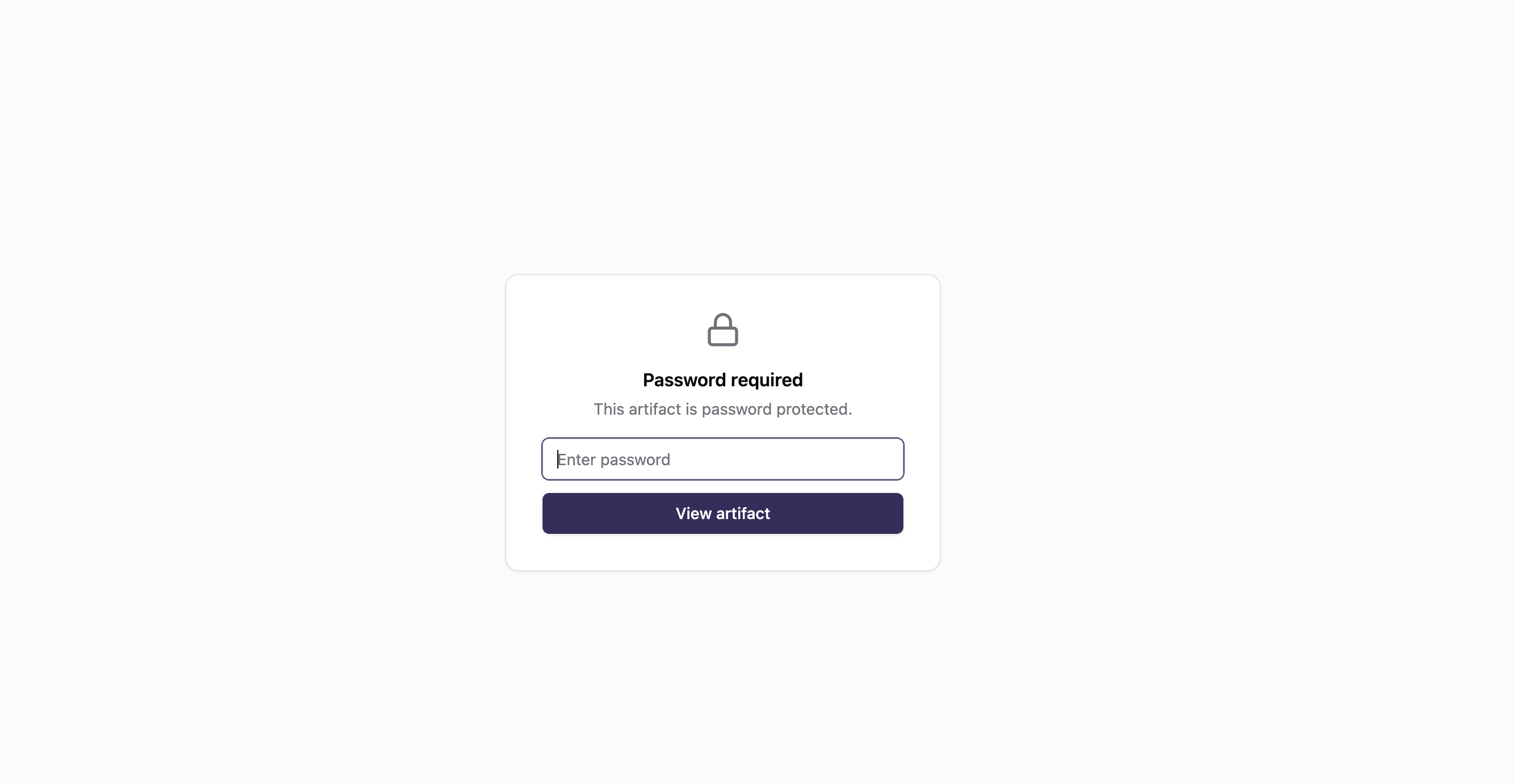
Yes. ShareDuo lets you add a password to any artifact. Only people who know the password can view the preview. Useful for sharing work-in-progress or client deliverables.
Can I control how long the link stays live?
Yes. When uploading, you choose an expiry window: 1 hour, 1 day, 7 days, or 30 days. After that, the link expires automatically. Useful for keeping things tidy.
What happens when someone opens a shared artifact?
The link opens in any modern browser — Chrome, Safari, Firefox, Edge, mobile browsers — and the artifact loads instantly. There's no login prompt, no signup wall, no "create an account to view." The viewer sees exactly what you saw inside Claude's preview pane.
The artifact is fully interactive. Buttons work, form inputs accept typing, charts respond to hover, drag handles drag. Anything that worked inside Claude's pane keeps working on the public URL. ShareDuo serves the HTML on a sandboxed preview subdomain so CDN scripts (Chart.js, Tailwind, Google Fonts) and external libraries load normally.
What recipients won't see: any Claude branding, the conversation that produced the artifact, or your account information. The page is just the artifact. If you've password-protected the link, they'll see a single password prompt before the artifact loads — and nothing else.
What about teams or enterprises?
If your whole team is on Claude Team or Claude Enterprise, the native Share button works fine for internal distribution. For standard HTML artifacts, anyone with the link can open them — including people outside your org. The difference is that Claude Team/Enterprise sharing also keeps the artifact connected to your workspace context.
For sharing with clients, vendors, or anyone where you want access controls — password protection, expiry windows, or invite-only email verification — the ShareDuo path is better. Download the artifact's HTML, upload it to ShareDuo, send the resulting link. You can ship a client deliverable that auto-revokes after the engagement, or share a sensitive prototype only with people who have the password.
For organizations with strict compliance requirements, host the exported HTML on infrastructure you control (an internal CDN, a private S3 bucket, or your existing static site host). The exported file is plain HTML — it'll work anywhere a static file server runs.
Quick summary
| Method | Works for everyone? | Requires Claude account to view? | Expiry / Password / Analytics? |
|---|---|---|---|
| Claude Publish | Yes (standard artifacts) | No (standard artifacts) | No |
| ShareDuo | Yes | No | Yes |
Ready to share your Claude artifact?
Free, no signup. Anyone can view the link — no Claude account needed.
Get my shareable link →