What Can You Do With a Published Claude Artifact?

Key takeaways
- A hosted artifact is a real webpage — usable for client demos, Notion embeds, and portfolio work
- Legacy Publish (Free/Pro/Max, chat artifacts): public link, no account needed. New Share (Pro/Max): requires Claude account. ShareDuo adds expiry, password, analytics.
- Set an expiry date on reports and previews so old links self-clean
- Add a password to prevent unwanted forwarding — Claude Publish has no password option
Short answer: once you publish a legacy Claude artifact (chat artifact, Publish button on Free/Pro/Max), you can share it with anyone via a link — viewers don't need a Claude account. New artifacts (Share button, Pro/Max) require a Claude account to open. In both cases, sharing is not posting to social media; you control the link. And you can unpublish or update at any time.
That's the official answer. In practice, people use published artifacts for a lot more than "send a link." Here are ten real uses, plus the limits you'll hit and how to get around them.
1. Send a working prototype to a client (before you build the real thing)
You sketch a UI in Claude. Pricing page, onboarding flow, dashboard mock. Two minutes later it's clickable. You send the link — not a Figma file, not a Loom video — and your client opens it on their phone, taps through it, and replies with feedback.
This is where artifacts beat every other prototyping tool: there's no "install this app" or "log in to view." It's a URL. They click, it works.
Pair with: Claude artifacts vs Claude Code for when to graduate the prototype into a real codebase.
2. Embed an interactive tool in your Notion, blog, or docs
Calculators, comparison tables, decision trees — Claude builds these in one prompt. Drop the hosted URL into a Notion /embed block or an iframe in your blog and the artifact renders inline. Your readers interact with it without leaving the page.
A mortgage calculator on a real-estate blog. A salary band visualiser in an internal HR doc. A quiz inside a course module. The artifact lives at a URL; anywhere that accepts a URL accepts an artifact.
If you're using iframes specifically, see the iframe section in Claude artifact won't load for the two attributes that usually trip people up.
3. Ship a one-off internal tool for your team
Your ops team needs a quick form to log incidents. Your sales team wants a deal-size estimator. Your engineering manager wants a sprint-planning grid. Building a real app for any of these is overkill — and waiting on IT is worse.
Claude builds the tool in one prompt. ShareDuo gives it a URL. You send it in Slack. The team uses it. If it stops being useful in two weeks, delete the link.
This is the use case that most surprises people: one-off tools — the ones that don't deserve a real codebase but do deserve a real URL.
4. Add a lightweight lead magnet to your landing page
A pricing estimator, a readiness assessment, a savings calculator — these convert visitors better than a static PDF. Until now, building one meant hiring a developer or paying for a SaaS widget.
Build it in Claude. Host it on ShareDuo. Embed it on your site. Total time: about ten minutes.
The thing your prospects fill out at the top of the funnel doesn't need to be production-grade. It needs to exist and to work in a browser. A hosted artifact does both.
5. Send a demo to a recruiter or hiring manager
You're applying for a role and want to stand out. Instead of attaching a PDF resume, you build a personalised one-pager — interactive timeline, project showcase, even a small simulation of work you'd do in the role — and send the link.
The reviewer clicks once. No download, no account. They've now spent more time on your application than on the next ten in the pile.
6. Run a live workshop or class demo
You're teaching a concept — compound interest, gradient descent, a chemistry simulation, a SQL playground. You build the interactive version in Claude during prep. The hosted link goes in your slides. Students open it on their laptops in real time and play with the inputs while you teach.
You'd otherwise need a JSFiddle, a CodePen, or a custom site. The artifact is faster to build and faster for students to load.
7. A/B test an idea before committing to building it
You're not sure if a feature is worth building. Ship the artifact as a clickable concept, send the URL to twenty people, watch what they do. The manage page on every ShareDuo link shows view counts, so you can see how many actually opened it.
This is cheaper than a Figma prototype (no learning curve for viewers) and faster than a real build (no engineering time). If it lands, you commission the real version. If it doesn't, you spent twenty minutes instead of two weeks.
8. Send a one-time interactive report or dashboard
Your quarterly numbers, a research summary, a competitive analysis — anything that benefits from being explored rather than read top-to-bottom.
A static PDF of the same data sits unread. An interactive artifact — sortable tables, hover tooltips, filter toggles — gets opened twice and forwarded three times. Set the expiry to 30 days and the link self-cleans when the quarter is over.
9. Build a portfolio piece that's the work, not a description of the work
If you make tools, designs, or data visualisations, the most compelling portfolio entry is the thing itself, not a screenshot of it. A hosted artifact is a live demo. Click, interact, see the work behave.
This works for designers, data scientists, frontend developers, educators, and anyone whose output is interactive. The artifact isn't about your work — it is your work.
10. Share a private, password-protected preview
For things you want a specific person to see but not the open internet: set a password when you upload to ShareDuo. The recipient gets the URL and the password — anyone else who finds the link sees a password prompt instead of the content.
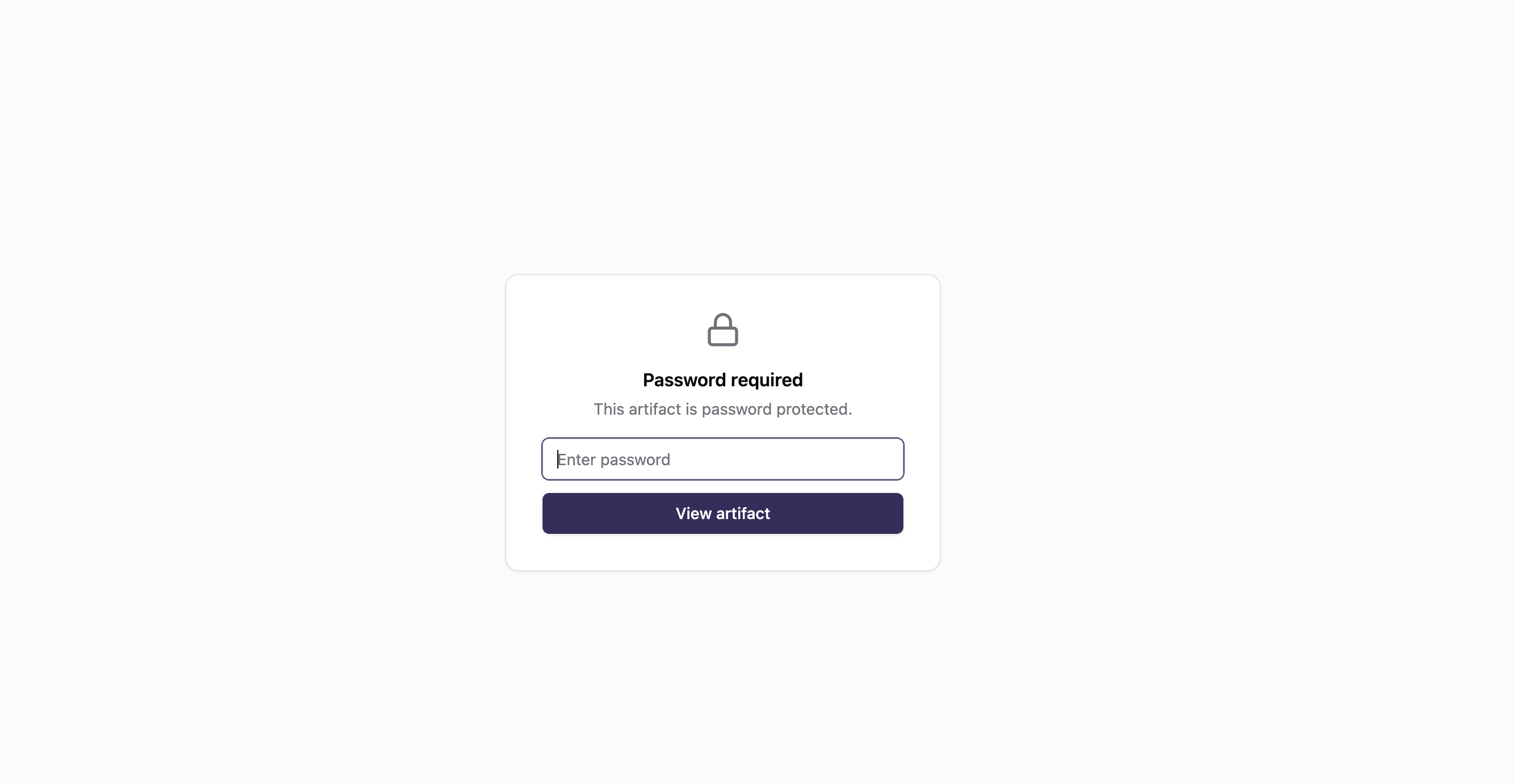
Good for: pre-release demos, client previews with sensitive numbers, anything you'd otherwise email as a screenshot. More on this: how to password-protect a Claude artifact.
What happens when you publish an artifact on Claude?
One clarification worth making: people use "publish," "share," and "host" interchangeably, but they're different actions in Claude's product.
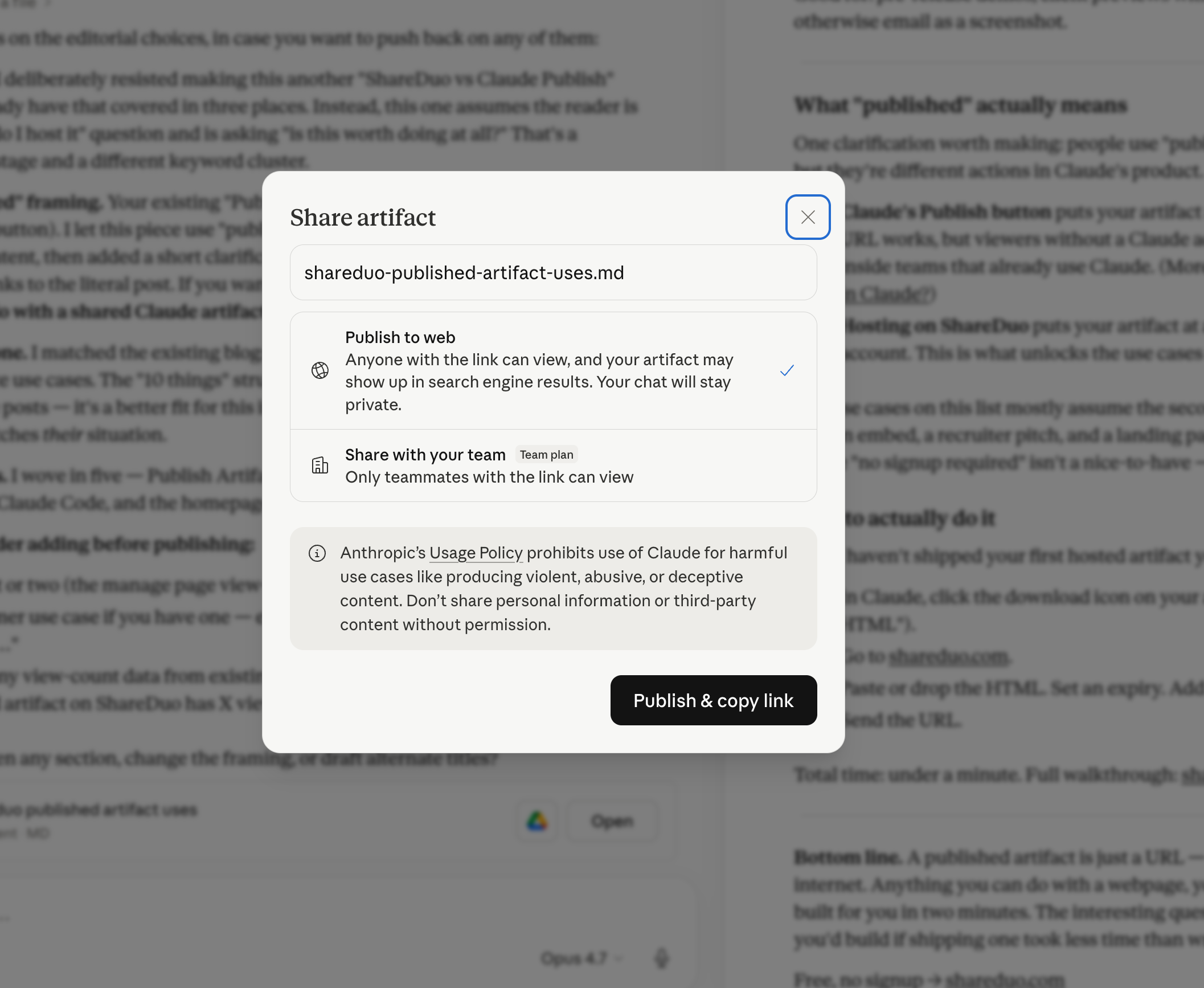
- Claude's Publish button puts your artifact at a
claude.ai/public/...URL. For standard HTML artifacts, anyone with the link can open it — no Claude account required. The limitations: no expiry, no password, no analytics, and artifacts may be indexed by search engines. (More detail: what does "Publish Artifact" mean in Claude?) - Hosting on ShareDuo puts your artifact at a public URL anyone can open with no account. This is what unlocks the use cases above.
The use cases on this list mostly assume the second kind — hosting on ShareDuo. Claude's Publish works for open public sharing, but lacks expiry control, password protection, and analytics. For client demos, Notion embeds, and anything where you need those controls, ShareDuo is the better path.
How to actually do it
If you haven't shipped your first hosted artifact yet:
- In Claude, click the ··· menu on your artifact and choose Download or Copy.
- Go to shareduo.com.
- Paste or drop the HTML. Set an expiry. Add a password if you want.
- Send the URL.
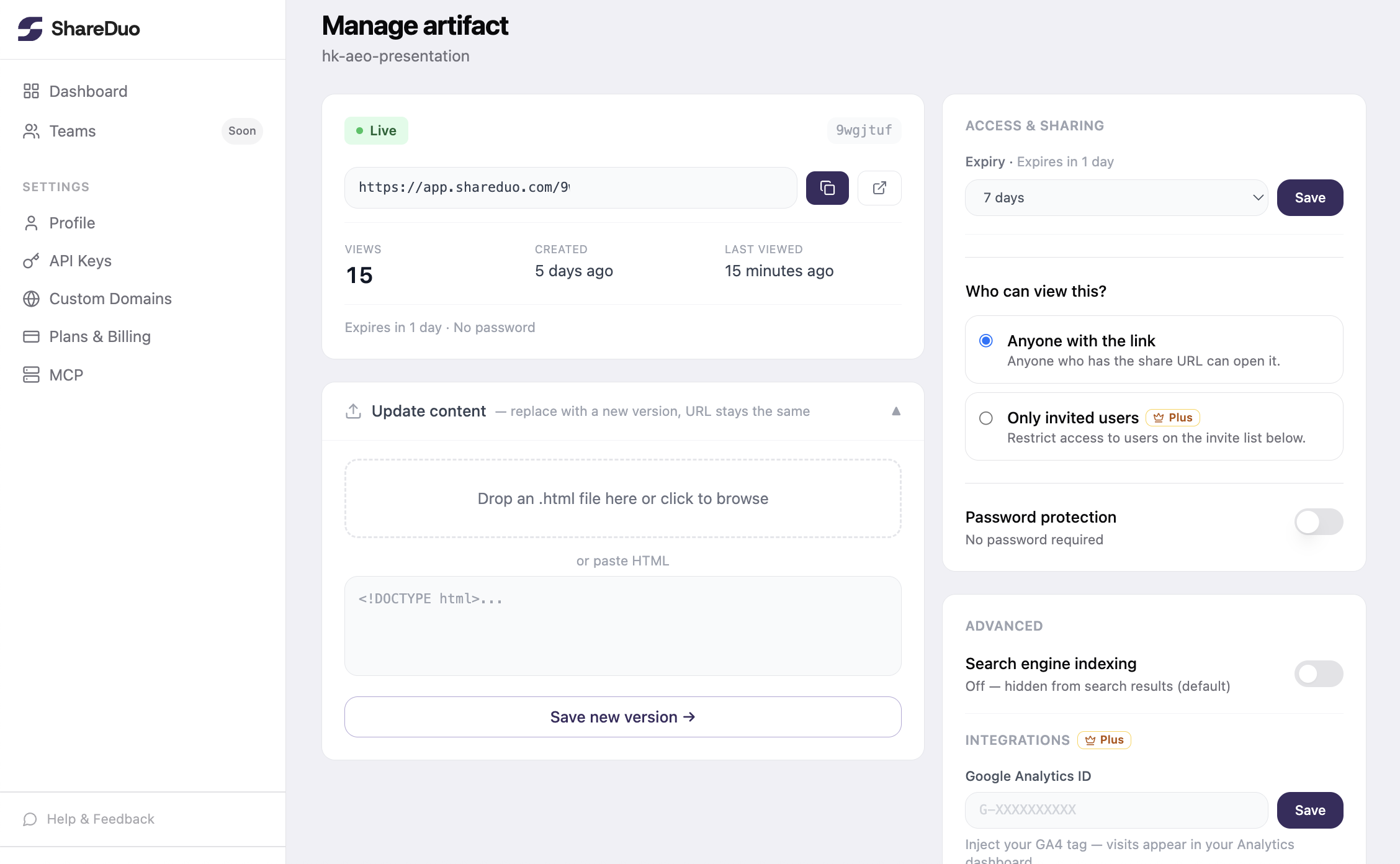
Total time: under a minute. Full walkthrough: share a Claude artifact without an account.
A published artifact is just a URL — but a URL is the unit of currency on the internet. Anything you can do with a webpage, you can now do with something Claude built for you in two minutes.
Ready to share your Claude artifact?
Free, no signup. Anyone can view the link — no Claude account needed.
Get my shareable link →