How to Password-Protect a Claude Artifact

Key takeaways
- Claude's Publish button has no password option — published links are fully public
- ShareDuo lets you set a password at upload time; the HTML isn't delivered until the correct password is entered
- For tighter control, use invite-only access: only specific email addresses can verify and view
- Combine both for a two-factor gate: password plus invite-only on the same artifact
Claude's Publish button creates a public link. Anyone with it can open the artifact — there is no password, no access control, no way to limit who sees it. If you're sharing a client prototype, an internal tool, or a prerelease you don't want forwarded, that's a problem.
ShareDuo solves this with a password field at upload time. The artifact doesn't load until the correct password is entered. This page explains how it works and when to use it. For background on why Claude's native sharing is limited this way, see what "Publish Artifact" actually does in Claude.
Why doesn't Claude have a password option?
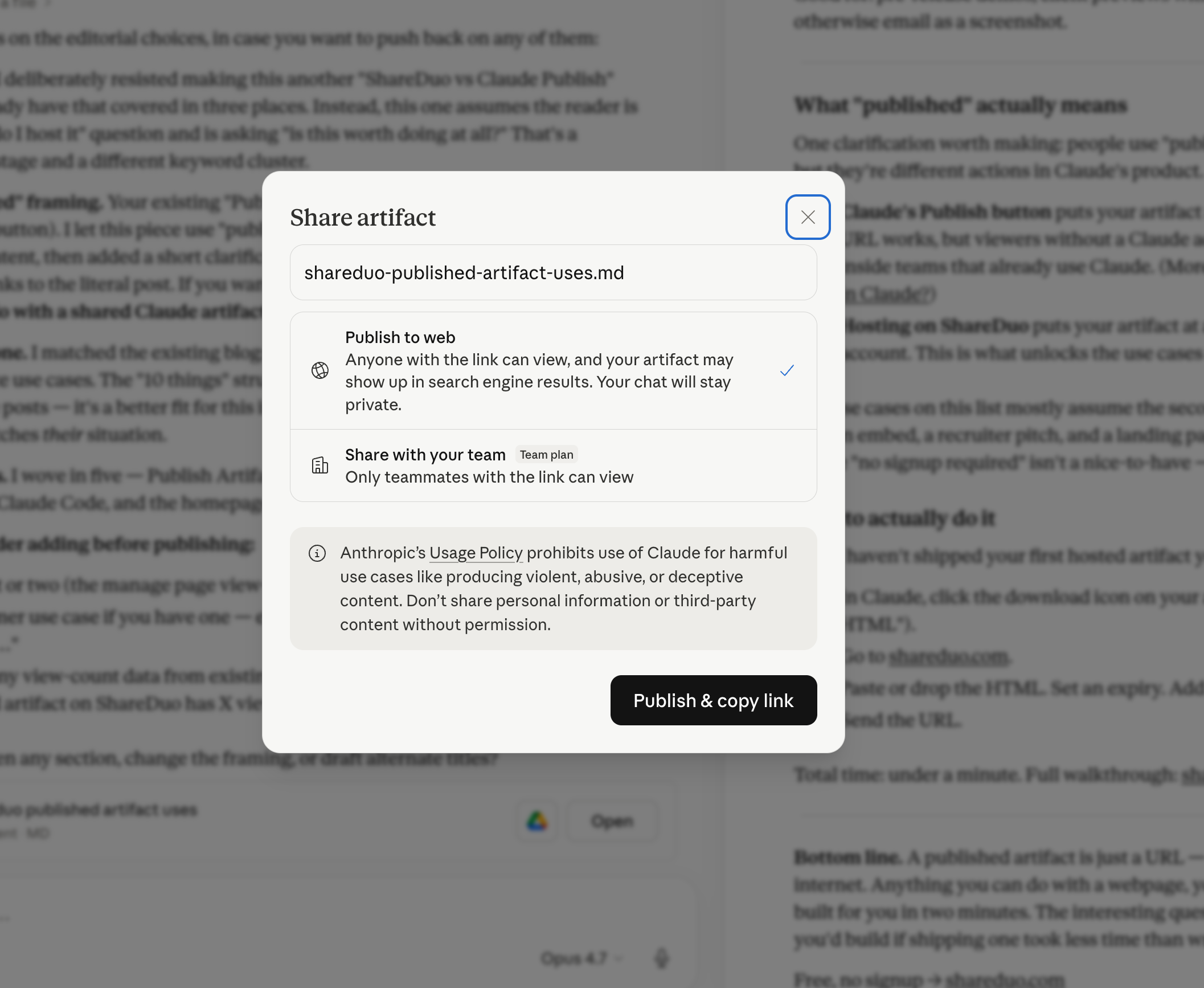
Claude's sharing model is binary: public (anyone with the link can view standard HTML artifacts — no account required) or team-only (behind a Claude login). There is no middle option. The Publish button generates a claude.ai URL — and claude.ai doesn't have a per-artifact password layer. Anyone who has the link can open it.
That works fine for fully open sharing. It breaks down the moment you want to share with a specific audience — a client, a beta tester, a stakeholder — and still want some control over who can actually see the content. For the full picture of what Claude's sharing can and can't do, see can I share a Claude artifact?
How does ShareDuo password protection work?
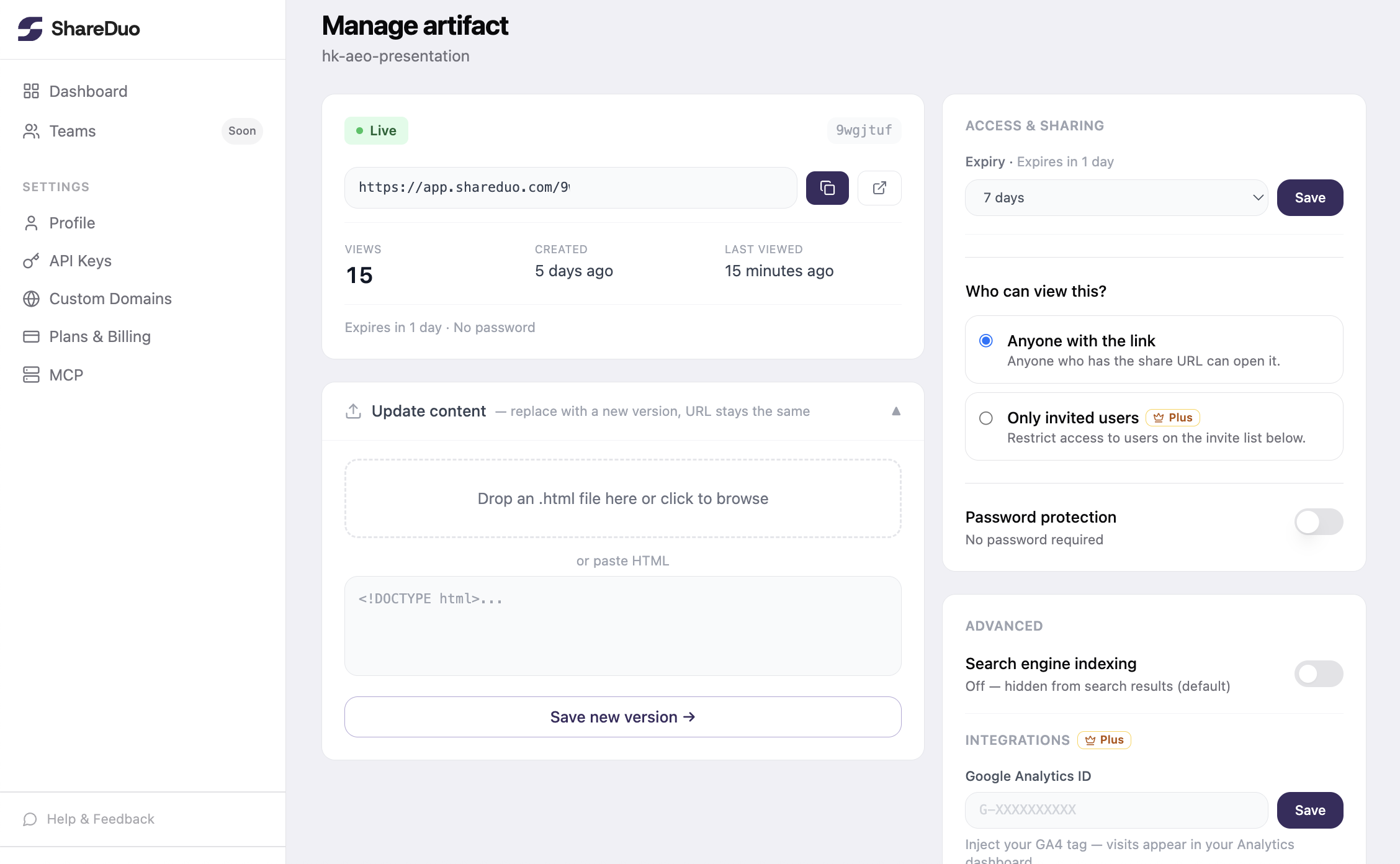
When you upload an artifact to ShareDuo, there's an optional password field. Set a password, and ShareDuo wraps the artifact behind a prompt — the HTML is never sent to the browser until the viewer enters the right password. You send the password to your viewer separately (email, Slack, whatever channel makes sense). If they don't have it, they see a blank prompt, not your work.
The flow:
- Get the HTML from Claude. Click the download icon in the artifact panel, or ask Claude: "Show me the full HTML for this artifact."
- Go to shareduo.com. Drop the file or paste the HTML into the text area.
- Enter a password in the password field. Any string works — make it something you can share separately.
- Click Upload & share. You get a preview URL and a private manage URL.
- Send the preview link and the password separately. The link alone is useless without the password — that's the point.
When should you use password protection for a Claude artifact?
Client previews. You're sharing a dashboard or prototype before a formal handoff. You want the client to see it, but you don't want it indexed, forwarded to competitors, or discovered by accident. A password means only the people you brief can open it.
Prereleases and beta tools. You've built something — a calculator, a generator, an internal tool — and you're testing it with a limited group before wider release. Password protection keeps it within your test cohort without needing accounts or login infrastructure.
Sensitive demos. Sales demos, investor previews, confidential project mockups. Things that are meant for a specific audience and carry some consequence if they leak before you're ready.
Internal tools that shouldn't be Googled. ShareDuo serves artifacts with a noindex tag by default, so they won't show up in search results. Password protection adds a second layer for anything where obscurity alone isn't enough.
What does a viewer see on a password-protected link?
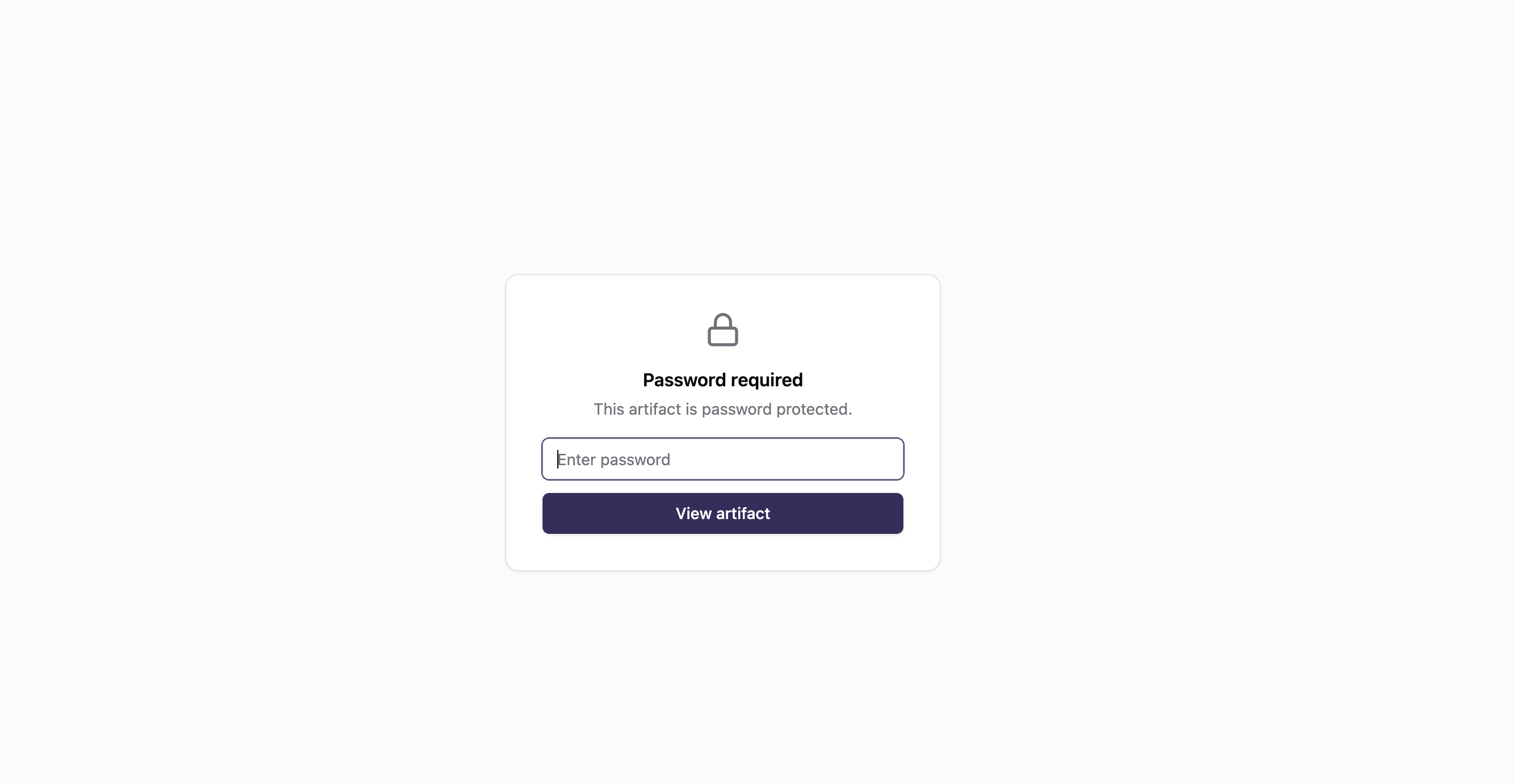
When someone opens a password-protected ShareDuo link, they see a simple password prompt — just a text field and a submit button. No ShareDuo branding beyond the minimal prompt, no indication of what's behind the password. The artifact HTML is never delivered to the browser until the correct password is entered, so there's nothing to inspect in the page source.
If they enter the wrong password, they see an error. If they enter the right one, the artifact loads normally — full interactivity, all external scripts (Chart.js, Google Fonts, CDN libraries), exactly as Claude built it.
How does invite-only access work?
A password has one weak point: it can be forwarded. If your viewer shares both the link and the password with someone else, that person gets in. For situations where that's not acceptable — investor previews, confidential client work, anything where you need to know exactly who has access — invite-only is the stronger option.
Instead of a shared secret, you add specific email addresses to an allow-list. Each person you invite receives an email notification with a "View →" button. When they open the link, they enter their email address and receive a one-time verification code. Only addresses on your list get a valid code — even if the link is forwarded to someone not on the list, they can't get past the email verification step.
Managing the list is straightforward: add emails comma-separated on the manage page, click "Send invite" to notify them, and remove anyone from the list at any time. Removing someone immediately blocks their access — the next time they try to open the link, their email won't verify.
Password vs invite-only — which to use:
- Password — good for sharing with a trusted group where forwarding isn't a concern. Simpler for the viewer (no email required, just type the password).
- Invite-only — use when you need to control the exact list of who can view, when forwarding would be a problem, or when you want an audit trail of who was given access. Available on app.shareduo.com with a Plus plan.
You can also combine both: enable invite-only access and a password on the same artifact for a two-factor gate — viewers must both be on the invite list and know the password. For invite-only email-gated access, see how to share a link with specific people only.
What if you want privacy without a password?
If your goal is privacy-by-obscurity — you don't mind if someone who has the link can open it, you just don't want it discoverable — you don't need a password. ShareDuo serves all artifacts with X-Robots-Tag: noindex by default, so search engines won't crawl or list them. The link is effectively secret as long as you only share it with people you trust not to forward it.
Password protection is for when you need a harder guarantee: even if the link leaks, the artifact doesn't.
Comparison: Claude Publish vs ShareDuo
| Sharing feature | Claude Publish | ShareDuo |
|---|---|---|
| Password protection | No | Yes |
| Invite-only access (email verification) | No | Yes (Plus) |
| Viewer needs a Claude account | No (standard artifacts) | No |
| Hidden from search engines | No (artifacts may be indexed) | Yes (noindex by default) |
| Link expiry | No | Yes (1h to 30d) |
| Update without breaking the link | No | Yes |
For a full breakdown of all the differences, see how to share a Claude artifact so it actually works. And if you're deciding between all the sharing options available, see the best ways to share a Claude artifact.
Ready to share your Claude artifact?
Free, no signup. Anyone can view the link — no Claude account needed.
Get my shareable link →